How It Works
How to Post a Lorry in Chat: A Step-by-Step Walkthrough
No app download and no long form. Here is exactly how posting a lorry route through Backhaul Connect’s chat bot works, from route to review to going live.
Published 15 August 2026
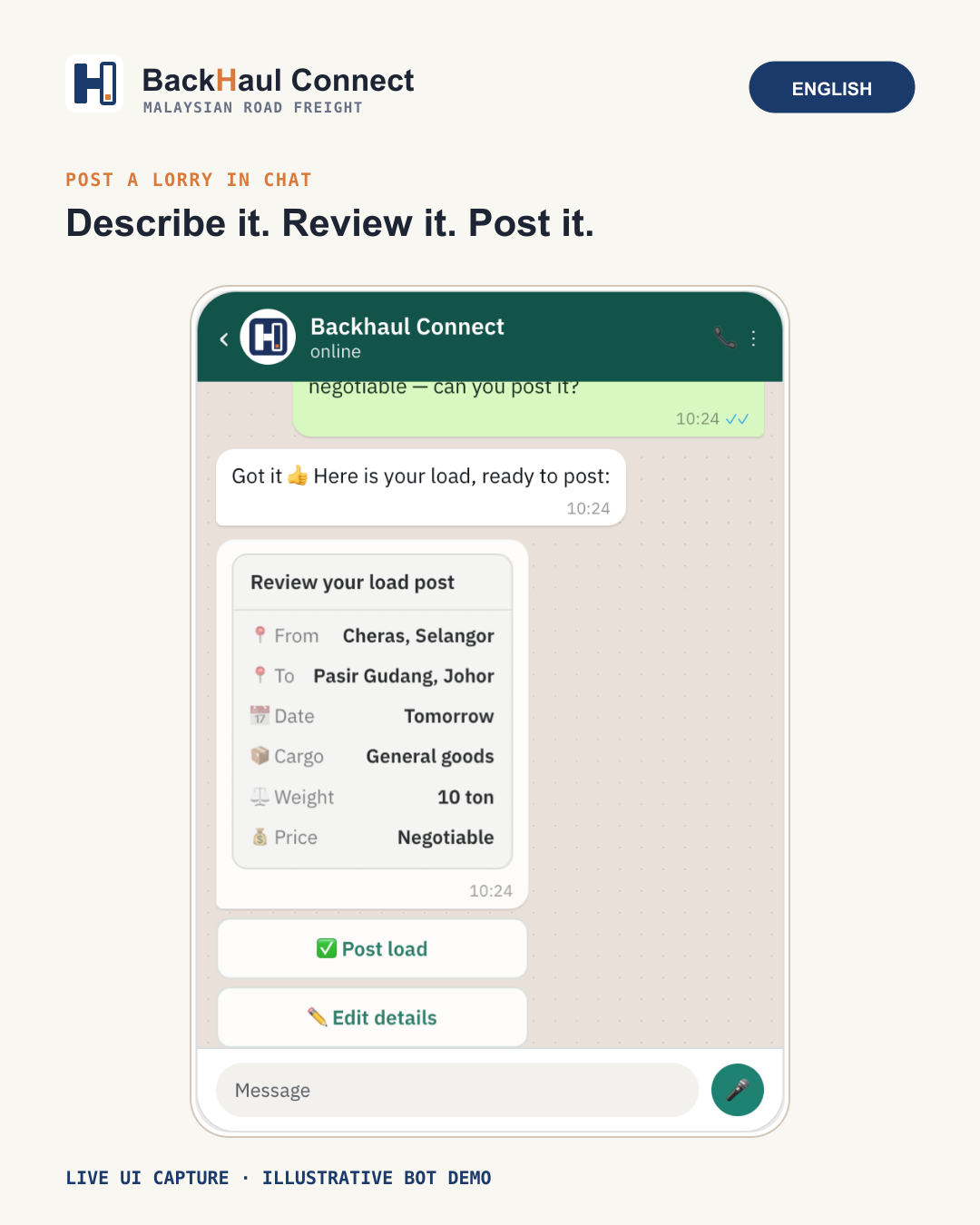
Posting an available lorry route on Backhaul Connect happens directly inside chat — there is no separate form to fill in and no app to install first.
The flow, step by step
You describe your route, capacity and date to the bot in Telegram. The bot reads that back to you as structured details — route, capacity, date — so you can check it is correct before anything goes live.
Confirm before it posts
Nothing is published automatically. You review the details the bot has extracted, correct anything that is off, and only then confirm the post. This review step exists specifically so a route never goes live with the wrong date or capacity.
What happens after posting
Once your lorry route is posted, shippers moving a same-direction load can express interest. You decide whether to accept each one — nothing is booked automatically on your behalf. Contact details for the other party are only shared once a match is confirmed, so you are not fielding messages from everyone who merely looked.
Try it
The whole flow is designed to take a couple of minutes in chat.